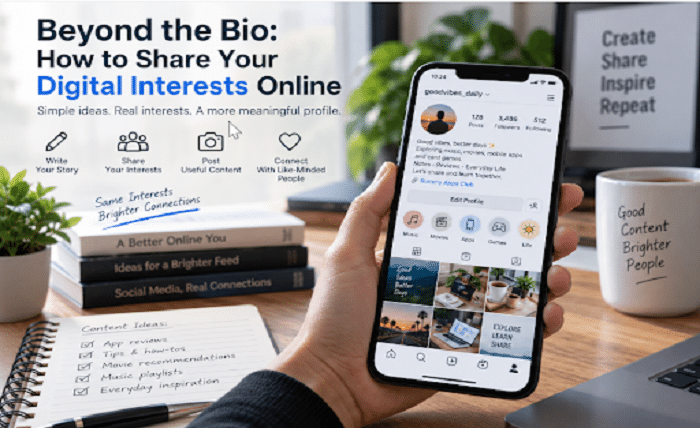
“Music. Movies. Gaming.”
There is nothing wrong with using those three words in a social media bio. But compare them with this: “Weekend playlists, film notes, and card-game discussions.”
The second version gives a visitor something more specific to connect with. It also gives you a starting point for deciding what to post.
You do not need an impressive lifestyle, expensive equipment, or a carefully managed personal brand to create an interesting profile. Start with the things you actually enjoy, describe them clearly, and share something useful about them.
Whether your interests include mobile apps, photography, entertainment, or traditional games, the goal is the same: give people a clearer picture of what interests you without turning every post into a recommendation they are expected to follow.
Choose Interests You Can Actually Talk About
Before rewriting your bio, think about the conversations you would enjoy having.
Would you rather discuss a film’s ending, compare photo-editing tools, share a playlist, or explain a card-game rule? Choose a few subjects for which you can offer more than a name.
Try this exercise: write down three interests, then suggest two possible posts for each one.
For music, you might describe a playlist for a quiet evening and explain why its opening track works. For photography, you could compare two crops of the same picture. For mobile entertainment, you might discuss readable interfaces or the questions you ask before trying an unfamiliar app.
An interest that produces several ideas is a useful foundation for your profile. You do not need to mention every hobby you have ever tried.
Make Your Bio an Introduction, Not a Sales Pitch
Treat your bio as the beginning of a conversation.
Instead of describing yourself as someone who discovers “the best apps and entertainment,” explain what you like examining. “Exploring Android apps, simple design, and familiar card games” gives a more concrete description without making a claim you would need to prove.
Keep the wording close to how you speak. Read it aloud and remove anything that sounds borrowed from an advertisement.
You can include personality without making the meaning difficult to understand. A short joke, a favorite expression, or a small detail about your routine can work alongside a clear description of your interests.
Avoid placing every keyword, hobby, and ambition into the same line. Leave something for the posts themselves to explain.
Turn Broad Interests Into Useful Posts
Once you have chosen your subjects, move from naming them to showing what you notice.
Imagine posting about an entertainment app. “Great app, everyone should try it” gives readers little to discuss. A more useful post might focus on one detail: whether the menu is easy to understand, how clearly the instructions are written, or which information you could not find.
The same approach works beyond apps. Rather than calling a film “amazing,” describe the scene that stayed with you. Instead of posting a playlist without context, explain the mood you wanted it to create.
A practical structure is to answer three questions: What caught your attention? What did you notice? Who might find that detail relevant?
This keeps the post focused while leaving room for your own voice.
Give Recommendations Enough Context
Before sharing a resource, consider what a reader needs to know about it.
Did you use the application yourself, read its description, watch a demonstration, or simply bookmark it for later? Explain which of those happened. They are different levels of familiarity.
“I found this while researching Android card-game apps” is an appropriate introduction to a resource you have browsed. “I tested this app” should be reserved for something you actually tested.
For adult readers exploring this category, Rummy Apps Club provides an app directory with links to individual information pages. It can serve as a starting point for researching listings rather than as a substitute for checking information with the relevant app provider.
When sharing a resource like this, explain why you included it. Perhaps it helps organize a shortlist or introduces application names you want to investigate further. Avoid turning the link into a claim that every listed application has been personally tested or independently verified.
Separate Information From Personal Experience
Consider two possible captions.
“The app description mentions several game formats.”
“I tried the tutorial and found the instructions easy to follow.”
The first reports something you read. The second describes an experience. Neither needs to be exaggerated to make a useful post.
Use the same distinction when discussing compatibility, support, or performance. Reading that an app supports your Android version does not tell you how smoothly it will run on your phone. Finding a support address does not establish how quickly someone will reply.
When you have not checked something, leave the question open. You can still explain what you are researching and invite a discussion.
A thoughtful profile does not require an opinion on every detail. Sometimes the most useful contribution is identifying the right question.
Let Images Support the Point
Choose an image after deciding what the post is about.
For a discussion of app navigation, a relevant screenshot or a simple annotated layout makes more sense than an unrelated gaming scene. For a post about your research routine, a photograph of a notebook beside your phone may be enough.
Keep the visual focused. Avoid filling it with decorative badges, exaggerated ratings, or labels that imply security testing you have not performed.
When sharing screenshots, check for personal information before publishing. Remove private messages, account details, notification previews, and anything belonging to another person that should not be public.
Write a caption that explains what the reader should notice. The image should support your observation, not force the reader to guess why you posted it.
Create a Profile You Can Maintain Comfortably
You do not need to build a publishing schedule around every spare moment.
Choose a pace that leaves room for genuine observations. A short post about something you have examined is more worthwhile than forcing yourself to publish a confident recommendation without enough information.
You can also vary the format without changing your interests. A question, a brief comparison, a photograph, and a personal note can all belong to the same profile.
Decide your boundaries in advance. Keep private contact details separate from public content, and choose which parts of your daily life you prefer not to share. Keep age-restricted subjects separate from content intended for younger readers, and never frame paid gaming participation as an income opportunity.
Your interests can be public without making every part of your life public.
Start With One Bio and One Useful Post
There is no need to redesign your entire online presence at once.
Write a bio that names a few genuine interests. Then create one post that explains something specific about one of them. Read the two together: does the post deliver the kind of content the bio suggests?
Keep what feels natural. Remove claims you cannot support. Give useful context when sharing a link, and make it clear when you are reporting information rather than describing firsthand experience.
A good profile does not need to make you sound more impressive. It should make it easier to understand what you enjoy—and give the right people a reason to join the conversation.